
Overview
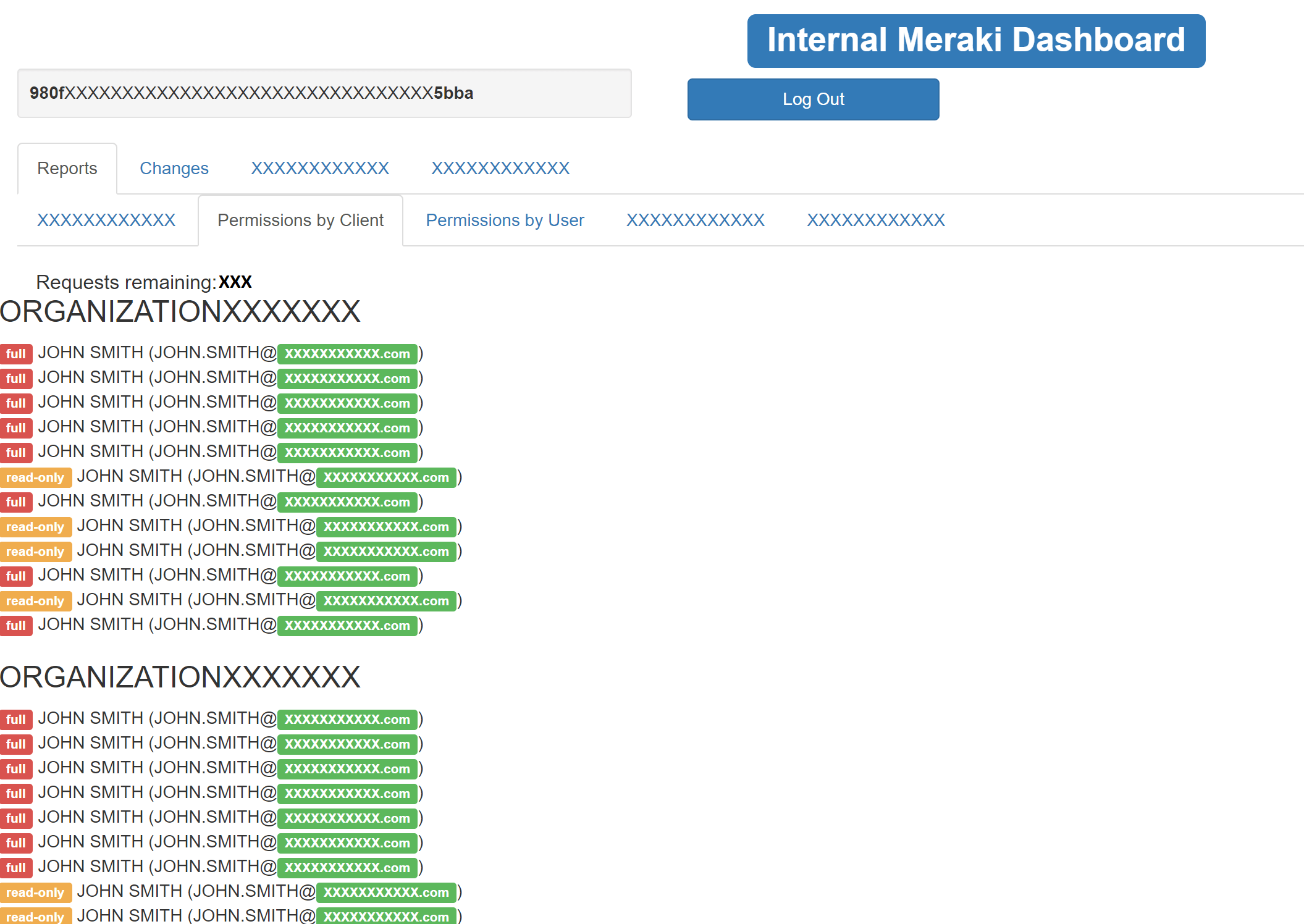
Created a single pane of glass for client to review and manage user permissions (among other things) for their Meraki organizations which lead to a savings in man hours, as well as simplifying multiple processes. The project involved using PHP, JavaScript, BootStrap, and jQuery to interface between the end-user and Meraki API.
Client Background
The client on this project was an MSP who (among other things) sells, installs, and manages Meraki equipment, but found the built-in Meraki dashboard lacking functionality from an MSP’s perspective and needed a better way to manage employee access across their various clients.
Project Overview

The Meraki dashboard is designed to allow organizations to manage their own equipment (including breaking it up into separate “networks”), but very much feels like the MSP portal was an afterthought in design. To gain access to the MSP portal, a user simply must be added as an administrator to more than one organization or network. The functionality of the MSP portal essentially boils down to giving a list of the various organizations a user has access to, which then take you to the standard organization-wide dashboard. This means if you want to check what permissions a user has, for example, you would have to go into a sub-menu on every client organization and review the users permissions for that particular organization. To review a single users permissions across 10 client organizations would take about 30 clicks and 20 page loads. If you wanted to verify and update permissions for a single user across 200 client organizations… obviously this solution doesn’t scale well.
The client was looking for a way to manage which employees had access to various clients (both reporting as well as mass changes) more efficiently.
Meraki offers a limited API which gave me the ability to create a web app for basic user management and a few other useful reports, but the limits of the Meraki Dashboard API prohibited the more extensive management and reporting functionality that the client and myself had hoped for.
 As I have historically been primarily a PHP developer, I began the first iteration of the web app entirely in PHP. The PHP version worked well enough as a proof-of-concept, but began to fall apart on reports and changes that had to make multiple API requests. The issue turned out to be API calls averaging around 1 second round-trip per call. If the client had 60 client organizations, making a single API call to get base information about each client would take a full minute of page loading (as PHP is single threaded and thus the API calls were made synchronously). If the client had 60 client organizations and a later API call had to be made for each client (as was the case in some reports or management functions), the page load time would double to over two minutes of page loading.
At this point I began to realize what I believe to be part of the reason the Meraki Dashboard is largely handled via AJAX. Loading the data via AJAX often helps cover the load time of individual API requests as modern browsers can easily handle multiple AJAX calls simultaneously. Thus the second incarnation began with a proof-of-concept using primarily JavaScript, with a dab of PHP. Due to CORS restrictions (the web app was attempting to make JavaScript calls to Meraki’s domains), a PHP proxy was required so the JavaScript AJAX calls could be made through the local web app (PHP on the web server would make the actual calls to Meraki’s domains).
The client now has a dashboard where they can quickly and easily review and update user permissions across all client organizations, as well as various other reporting functions in a single page load.
Services Provided
Worked with the client to find where their pain points were in working with this product (after finding there was an API available), and found what options were feasible for reporting and management through the API.
Created a web application to give the client a single place to manage user accounts (single, or in bulk) and run various other reports.
Impact
What used to take a user several hours to check and several more hours to change (if broad changes were needed), can now be completed in minutes. This saves the client many man-hours of non-billable time long-term for day-to-day operations as well as periodic audits of Meraki systems access/permissions.